Chrome extension · for Chinese learners
Read any Chinese
on your screen.
Snip a subtitle or manga panel — HanziLens gives you the meaning, pinyin, and a full word breakdown instantly. Then study what you captured with flashcards, cloze recall, and an AI tutor.
How it works
Snip
Drag a box over any subtitle, bubble, or web page. Works on tabs and screen-shared windows.
Instant breakdown
OCR + meaning + toned pinyin + word-by-word explanation — all in one call, in your language.
Study & review
Save to your library. Review with SRS flashcards, cloze recall, and an AI tutor per sentence.
See it in action
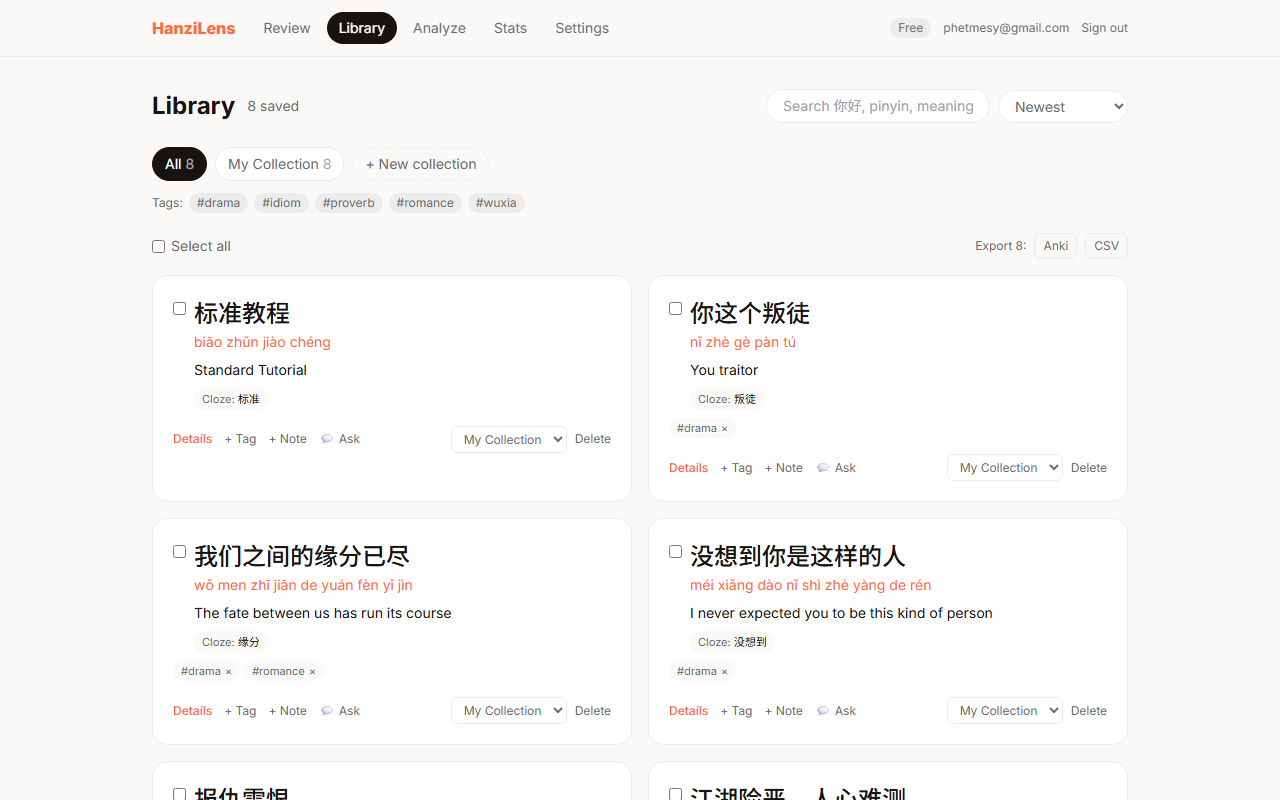
Your saved sentences, tagged and searchable
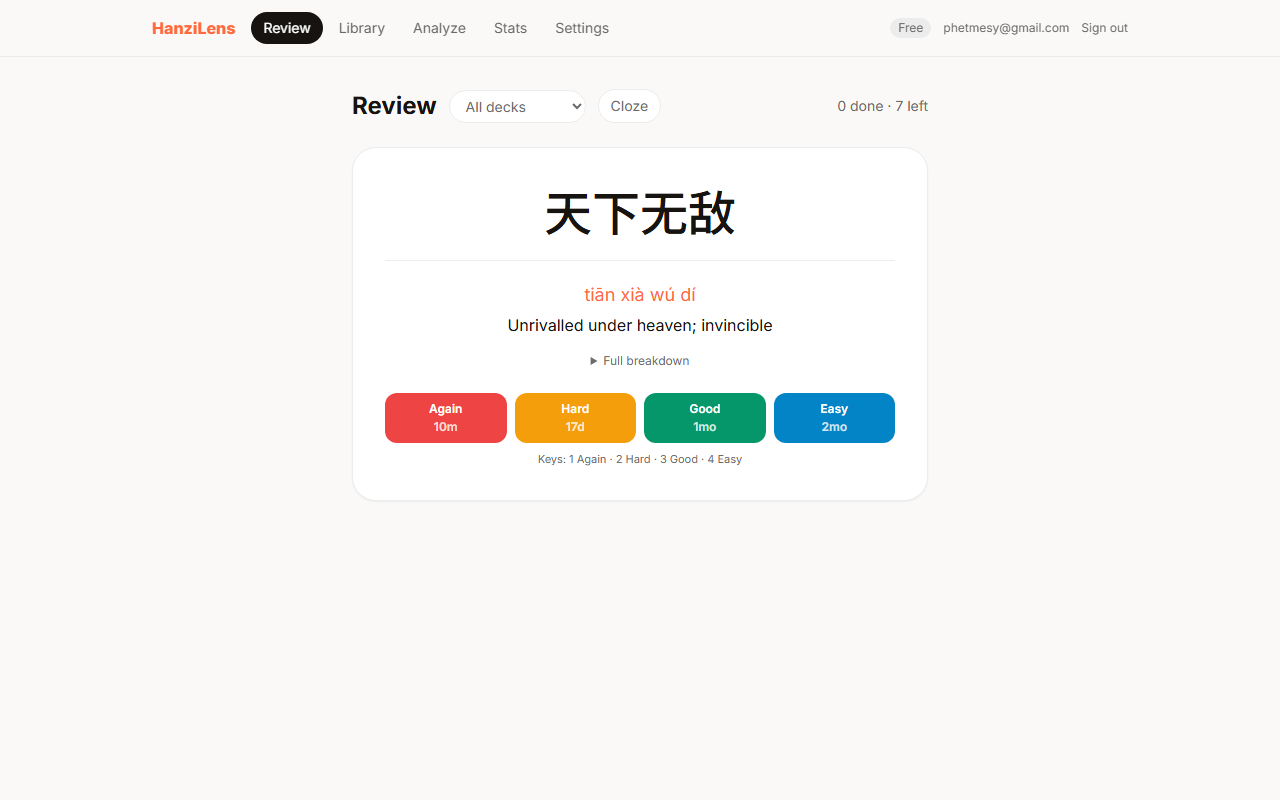
SRS flashcards with spaced intervals
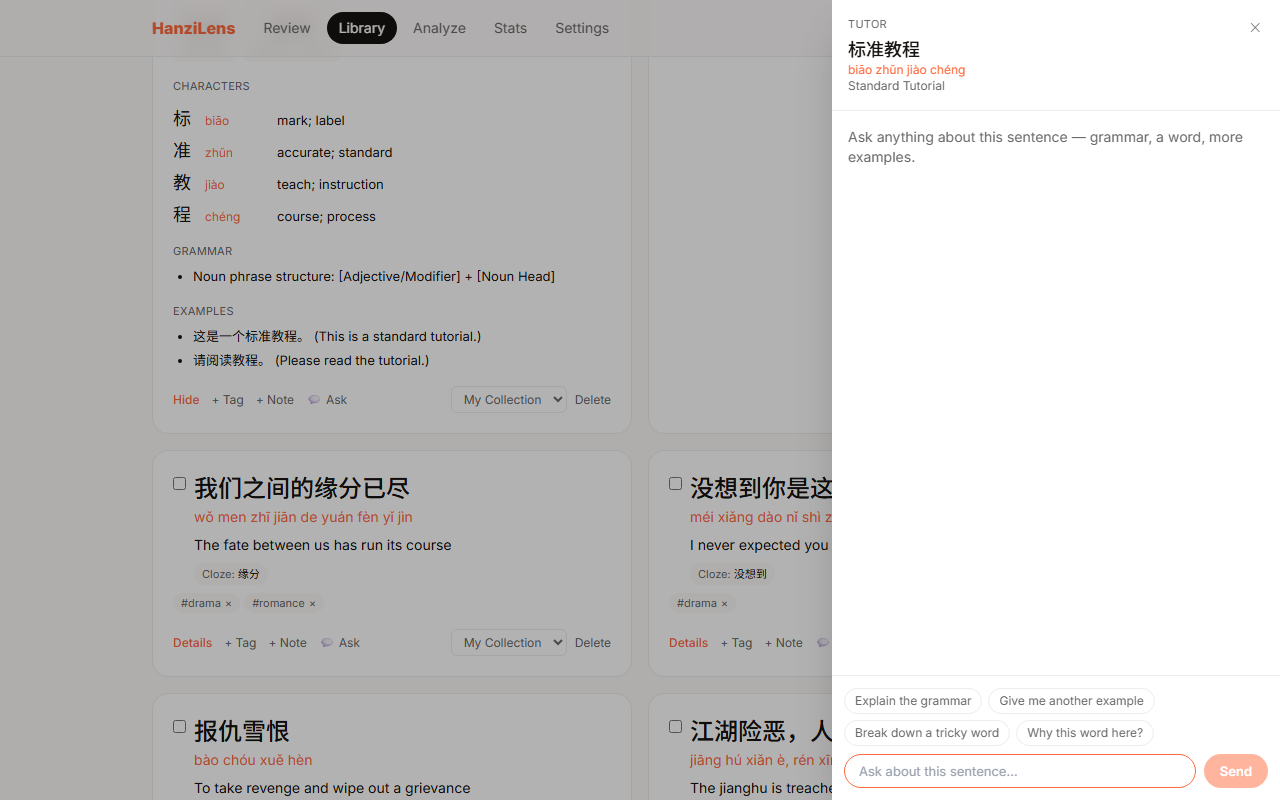
AI tutor open on any saved sentence
Capture Chinese anywhere
Two modes, one result card — works whether you're watching on the web or a desktop app.
Snip this tab
Press Alt+Shift+S or click the extension. Drag a box over any Chinese text — bilibili, web manga, any site.
Capture a screen or app
Share a window or monitor, freeze a moving subtitle, drag-crop. Reaches desktop apps and sidesteps most DRM video restrictions that block tab capture.
A study system built into your captures
Every sentence you save becomes part of a review loop — not just a list to scroll through.
Spaced repetition flashcards
SM-2 scheduling surfaces sentences when you're about to forget. Toggle cloze mode for active recall — the key word is masked, you produce it.
Re-encounter tracking
HanziLens tracks every word across all your captures. When a word keeps showing up in your content, you know it matters.
Per-sentence AI tutor
Open a chat panel on any saved sentence. Ask about the grammar, a tricky word, or get more examples — the tutor has the full breakdown as context.
Your library, your way
Search and filter everything you've captured. Tag sentences, export your collection, pick the focus word for cloze review — all from the web dashboard.
- ✓Search by word, tag, or translation
- ✓Bulk-tag and export to CSV/Anki
- ✓See every word you keep encountering
- ✓Streak and heatmap in Stats
Free to start
15 snips a day on the free tier. Go unlimited with Pro.
- ✓15 snips / day
- ✓Full breakdown + pinyin
- ✓Save to collections
- ✓SRS flashcards + cloze
- ✓Re-encounter tracking
- ✓AI tutor chat
- ✓Unlimited snips
- ✓Higher-accuracy model
- ✓Priority fallback queue
- ✓Everything in Free
Questions, answered honestly
Does it work on Netflix and Disney+?
Usually — with the right mode. A normal tab snip comes back black on DRM-protected video (the browser blocks it; that's not us). Use "Capture a screen or app" instead: share the window, freeze the frame, and crop — that reads most protected players. A small amount of hardware-protected content can still show black, and the extension tells you when that happens instead of failing silently.
What does the free tier actually include?
15 captures a day, resetting daily — plus the whole study app: unlimited flashcard reviews, cloze, practice quizzes, stroke-order writing, collections, and export. Only new captures are metered, because each one is a real AI analysis we pay for.
What languages can the breakdown be in?
30 languages — English, Spanish, Japanese, Korean, Vietnamese, Indonesian, and more. Pick yours once; every breakdown and the AI tutor use it.
Do you store what I snip?
No. The cropped image is analyzed and discarded — it's only kept if you press "Save to collection", and then it's the text and breakdown that's saved, not the image. The extension runs nothing on a page until you start a snip.
Does it work outside the browser?
Yes — "Capture a screen or app" can share any window or monitor, so desktop video players, games, and chat apps are all readable. The snip shortcut (Alt+Shift+S) works on any normal webpage.
Start reading Chinese
anywhere.
Join the waitlist — free while in beta.